Developers
- Xcode simulators, DerivedData & Device Support
- Android emulators, system images & NDKs
- node_modules in dormant projects
- npm, pnpm, Yarn, Bun & Homebrew caches
- Docker, OrbStack & virtual machine disks
- Gradle, CocoaPods, Cargo & Go caches
 Storage manager for Mac
MoreRoom maps every file on your disk in seconds, explains what each thing is, and tells you what’s safe to remove. Nothing is deleted without your say — and everything can be undone.
macOS 15 or later · Apple silicon & Intel
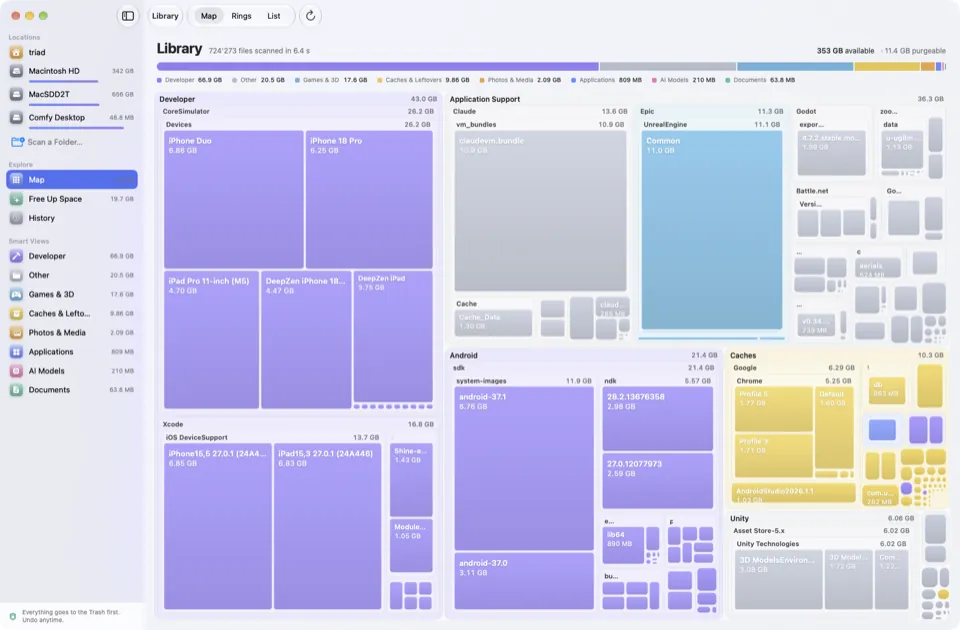
The map
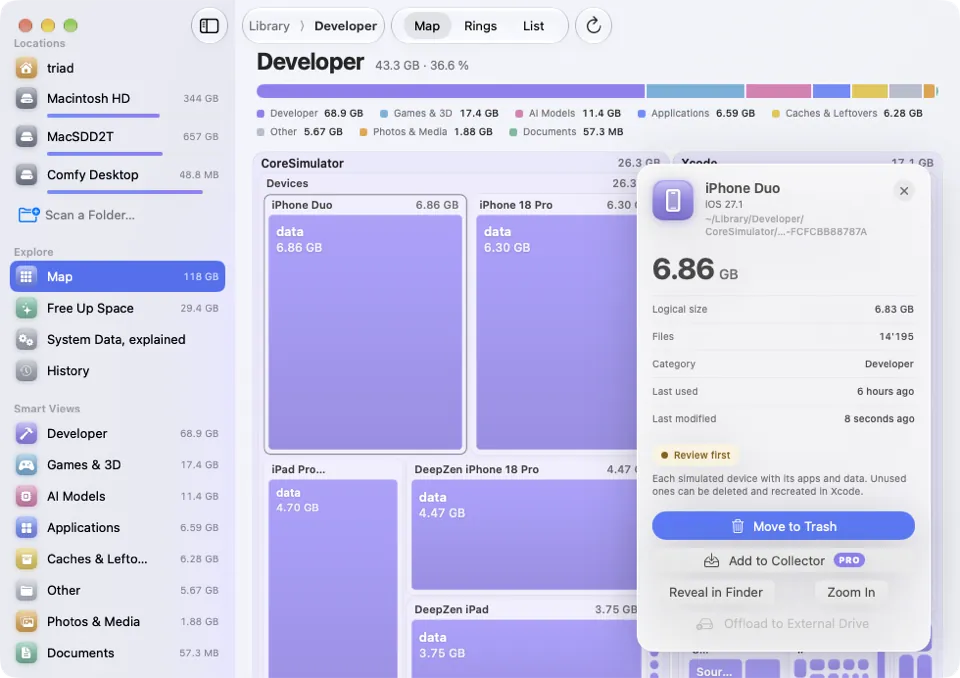
One scan, three synchronised views. Zoom into any folder, click anything to see what it is, when you last used it and whether it will come back.
Every file is a block sized by what it really takes on disk. Big things jump out.
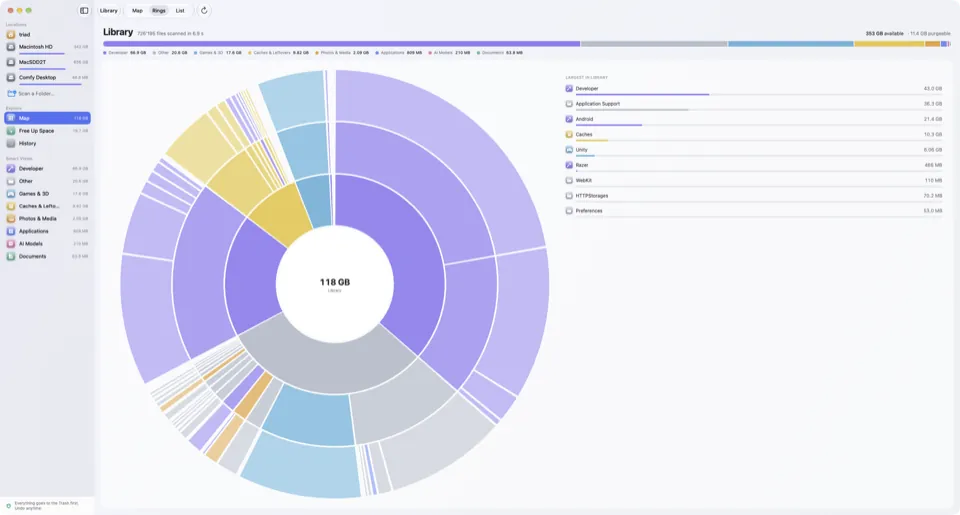
A sunburst of folders inside folders. Perfect to see where the weight sits.
Sorted, searchable and precise to the byte, for when you want the numbers.
One colour per kind of thing, everywhere
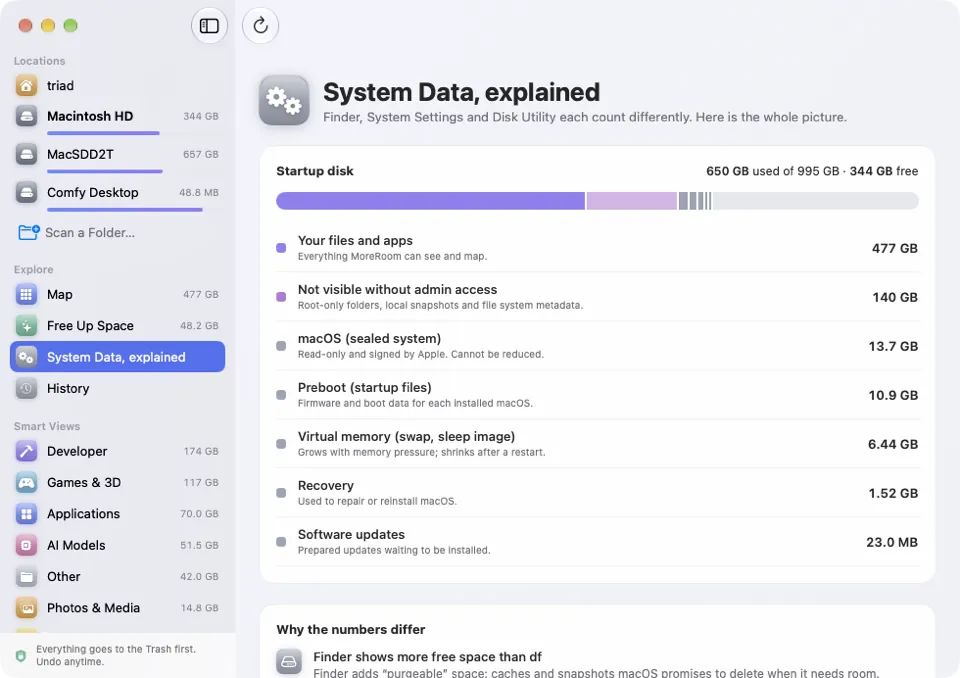
System Data, explained
Finder, System Settings and Disk Utility all give you different numbers. MoreRoom shows one honest total and explains every difference.
249 rules
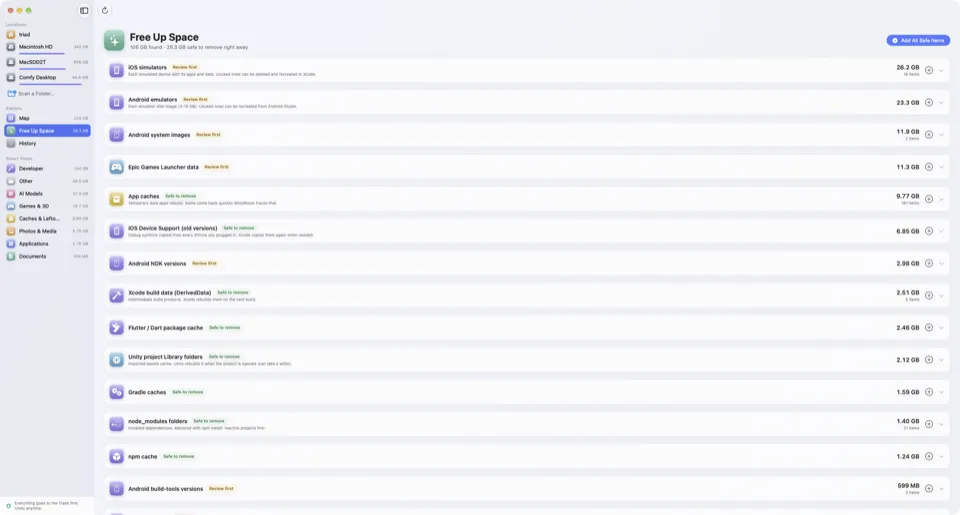
MoreRoom recognises hundreds of well-known space hogs, explains each one in plain language and labels it “Safe to remove” or “Review first”. It even tells you if something will come back.
Rebuilt automatically when needed.
Might hold something you care about. We show you what’s inside.
Safe by design
Cleaning apps have earned a bad reputation. MoreRoom is built the other way round: show first, explain, and let you decide.
Everything you remove goes to the Trash. Nothing is erased behind your back.
Changed your mind? One click puts it back where it was.
MoreRoom never deletes on its own. You see each item, its size and why it’s safe.
No red alerts, no fake “junk” counters, no “your Mac is at risk”. Just facts.
Scans run locally. File names and contents are never uploaded anywhere.
MoreRoom Pro
Free shows you everything and lets you remove items one by one. Pro does the heavy lifting.
Collect items from anywhere, review them together, free them in one click.
Every item marked “Safe to remove”, gathered in a single batch.
“I need 40 GB.” MoreRoom picks the safest selection and previews it first.
Inactive projects keep their code but drop what can be rebuilt (node_modules, build folders, Unity Library). Wake them in one click.
Move models, libraries and simulators to an SSD using each app’s official method, verified, and bring them back anytime.
Script your clean-ups and plug MoreRoom into your workflow.
Features marked “Coming soon” are included in Pro when they ship, at no extra cost.
Speed
A scan engine written close to the metal and a map drawn with Metal. MoreRoom stays smooth even on huge disks.
Measured on our test Mac with Apple silicon. Your times will vary with your disk and its contents.
Yes. The free version scans your whole Mac, shows the map, explains System Data and every item it recognises, and lets you move items to the Trash one at a time. No time limit, no nag screens.
MoreRoom never deletes anything on its own. You choose each item, it goes to the Trash first, and you can undo. Items that might hold your data are labelled “Review first” and we show you what’s inside.
No. Scans happen entirely on your Mac. MoreRoom only talks to our server to activate a Pro licence and to download signed updates to its rule catalogue.
macOS hides some folders (Mail, Messages, other apps’ containers) unless you allow it. With Full Disk Access MoreRoom can measure them; without it, it still works and shows them as “not visible”. It never reads the contents of your documents.
Same features. Yearly is $19.99 a year and includes updates while it’s active. Lifetime is $39.99 once and includes all future versions, including major ones.
Up to 3 Macs per licence. You can move a licence from an old Mac to a new one at any time.
Any Mac running macOS 15 Sequoia or later, with Apple silicon or Intel.
Download MoreRoom for free and see what’s really on your Mac in under a minute.
macOS 15 or later · Apple silicon & Intel